 Armagh City, Banbridge and Craigavon Borough Council Health and Recreation Department

Summer Booking Instructions
HOW TO GET TO THE BOOKING SCREEN
Once you click the ‘Book Now’ button, you will be brought to our online booking system.
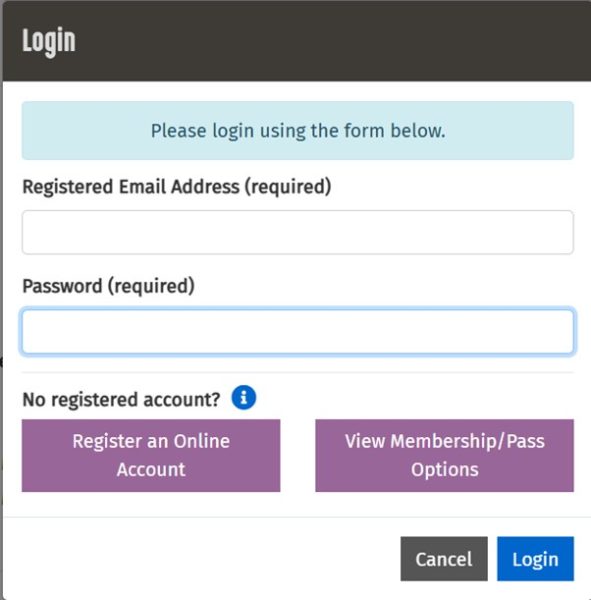
 If you have an account already – membership or casual user – press the blue ‘LOG IN’ button
If you are a new casual user choose ‘Register an Online Account’
(note – email address can only be associated with one account)
CREATING A NEW ACCOUNT
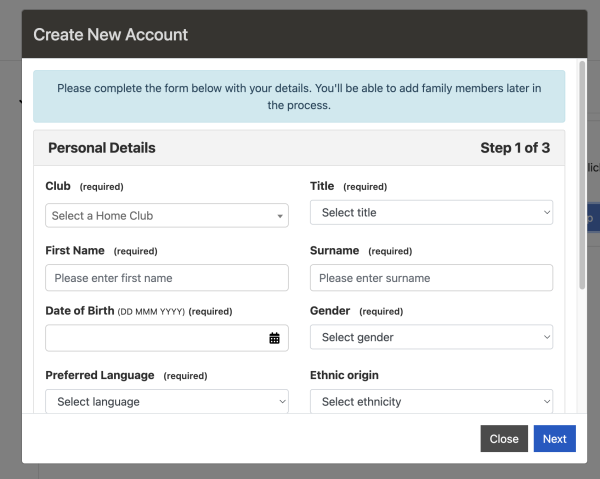
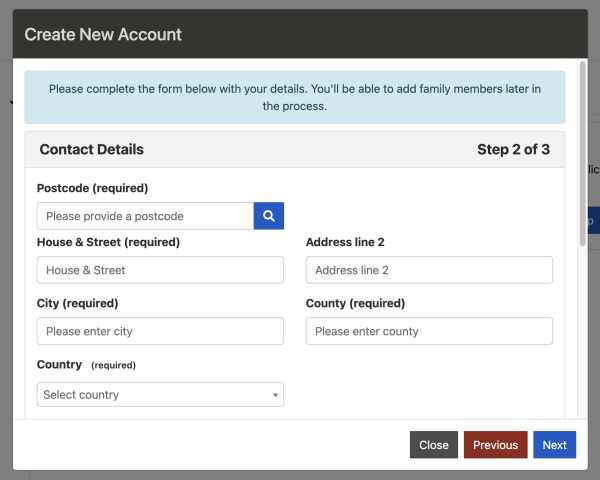
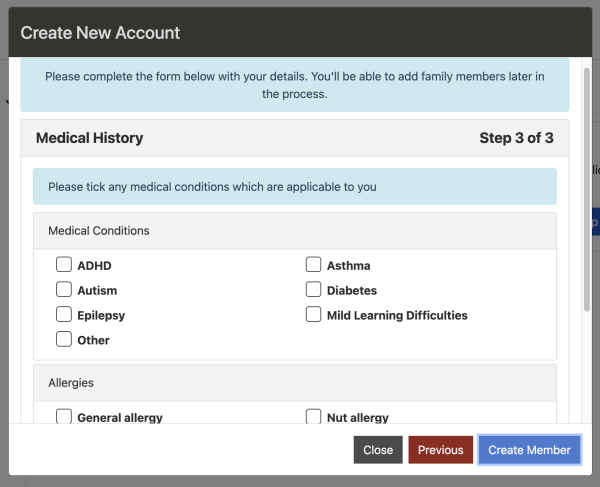
Create a new account will appear, please fill out requested information.
Please note: ‘Home Club’ can be any getactiveabc facility. You can select the facility you normally attend or where the activity is taking place.
HOW TO SEARCH FOR A COURSE
Once you have logged in or created an account, go to the right hand side of the screen and select ‘Make a Booking’. A menu will drop down and you should then select ‘Sports Courses’.
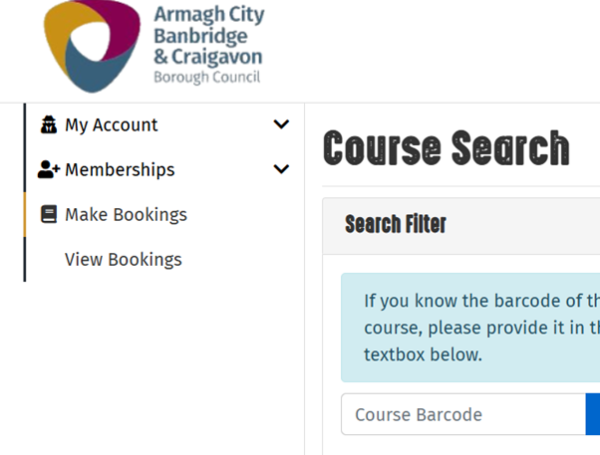
Filter – choose option from the Main Category menu [Get Ready to Shake Up Summer or Watersports]. Search for activity you would like to book under Sub Category [Intensive Swim Lessons/Gymnastics/Multi-Sports]
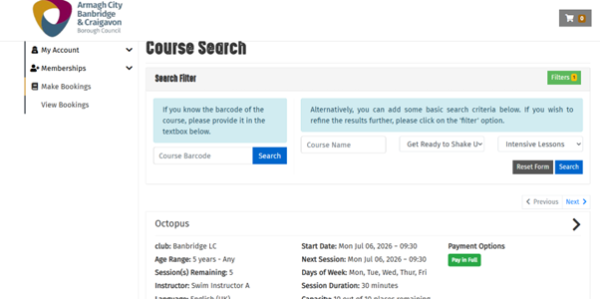
HOW TO BOOK
Click on course choice from the list and this will bring you to the course booking page. Click Register at the bottom of the page
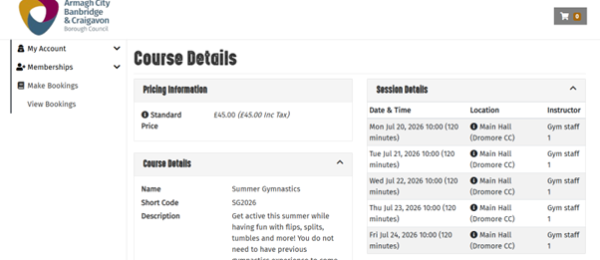
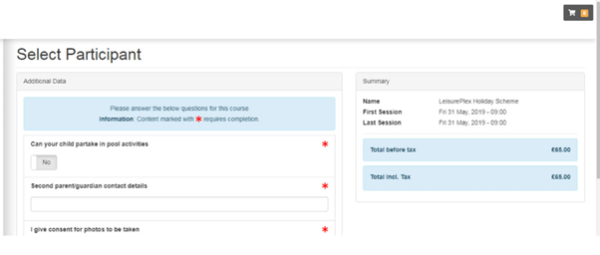
Select participant
Please note that the booking must be made under the name of the person who will be attending the activity.
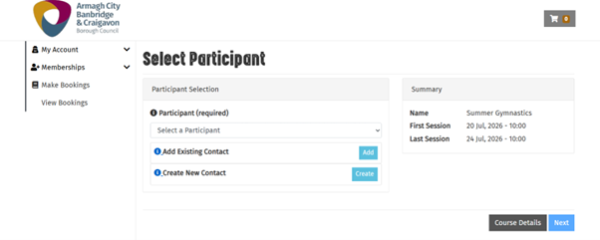
If your participant is not already showing in the drop down choose CREATE NEW CONTACT and complete the required information and once complete press CREATE.
Choose participants name from the drop down box.
Complete the required health and consent form.
PAYMENT
Once complete – Click ADD TO BASKET (bottom right) from here you can pay or choose to add more items.
Check course details and price
PAY: tick to confirm terms and conditions and click PROCEED TO PAYMENT
If you want to book more choose – BOOK ANOTHER COURSE: Book another – search for sports courses